

























Cryptocurrency adoption is increasing, and millions of new users need a secure method for managing Bitcoin. The personal door to sending, receiving, and storing BTC is a Bitcoin wallet. But how does a user create one?
In 2026, a Bitcoin wallet can be as simple as downloading an app; or as secure as purchasing a hardware device. What kind of wallet is best for each user and how can it be set up securely?
What Is a Bitcoin Wallet?
A Bitcoin wallet is simply a device for holding the cryptographic keys to a user’s Bitcoin. It is a tool (software, hardware or even paper) that manages the cryptographic keys used to access BTC.
Think of it this way, it’s like the banking interface where wallet is a mechanism that holds your private keys, those keys are what proves ownership on coins owned on a blockchain. The Bitcoins aren’t “inside” the wallet; they’re still recorded on the Bitcoin network; what’s inside is the keys, which authorize users to move them.
To create a Bitcoin wallet, one needs to generate a private key (or seed phrase) and a matching public address. People send BTC to a user’s address and then the user spends it with their private key.
Private Key: The secret string of letters and numbers used to spend Bitcoin. This should be stored securely if one loses it, they will lose access to funds.
Public Address: A public key (from the private key) that users give to others in order to receive Bitcoin.
Seed Phrase (Recovery Phrase): A human-readable backup (typically 12-24 words) of users keys. Get it on paper and place it in storage, for wallet recovery in times of need.
To sum it all up, creating a Bitcoin wallet involves generating these keys on a user’s device / hardware. Exactly how that takes place depends on the wallet type.
The Different Types of Bitcoin Wallets: Which One to Use?
Before creating a wallet, determine what type works best. Wallets come in several categories:
Software Wallets (Apps/Online): These include mobile apps (Android/iOS), desktop programs or browser extensions. Examples: Electrum, Exodus, Mycelium. Software wallets are user-friendly and allow one to transact while on the go. But because they are Internet-connected, there is some hacking risk. In general; software wallets are more straightforward (download and use) but better for casual sums than long-term storage
Hardware Wallets: Physical hardware devices similar to USB sticks designed for offline key storage (cold storage). Examples: Ledger Nano, Trezor, Coldcard. They providing top tier security as the user’s keys never leave the device. However, they aren’t free and are less convenient for regular use. Great for storing large amounts securely long-term.
Custodial Exchange Wallets: Many new users begin their journey by using exchanges (Coinbase, Binance, Kraken and so on) that have wallets integrated. These are very comfortable for trading, and they can be funded with fiat directly. But in these “wallets”, the exchange manages the keys, not users.
Custodial wallets are not without risk, if the exchange in which a user bought and registered cryptocurrency is hacked or becomes insolvent, one may lose funds as a result.
Self-Custody (Non-Custodial) Wallets: Keys are controlled by users. Both hardware and software wallets can be non-custodial. This shields against fraud, or bankruptcies of third parties.
Paper Wallets: these are special forms where users generate their keys off-line and print them on paper. They are air-gapped, but rigid (once printed, a generation error can put funds at risk). Not advised for newbies.
Desktop Wallets: These are independent apps on PC/Mac which usually have device integrations and rich features. They’re more secure than phone apps unless one is using a compromised computer, but more convenient than hardware.
Mobile Wallets: Apps on smartphones. Examples: Trust Wallet, Muun, BlueWallet. Very handy for one-off transactions and usually also support crypto as well as features like Lightning Network. Their security depends on the phone’s safety .
Here is a table comparing wallet types:
| Wallet Type | Examples | Keys Held By | Pros | Cons |
|---|---|---|---|---|
| Hardware Wallet | Ledger hardware wallet; Trezor hardware wallet, Coldcard wallet | You (offline device) | Very secure (keys offline); durable | Costly; less convenient for frequent use |
| Software Wallet (Mobile) | Electrum wallet, Muun wallet | You (on phone) | Easy setup; portable; instant transactions | Internet-connected; some hack risk |
| Software Wallet (Desktop) | Exodus wallet, Sparrow Wallet, Electrum wallet | You (on PC) | Rich features; hardware wallet support | Requires secure computer; still internet-connected |
| Custodial Exchange Wallet | Coinbase, Binance | Exchange | Very convenient; fast fiat on/off ramps | You don’t control keys; platform risk |
| Paper Wallet | N/A | You (physical paper) | Fully offline; free to generate | Fragile; risk of damage/loss; outdated method |
Every self-custody wallet needs users to back up their recovery phrase; if lost, funds cannot be recovered.
If you’re new and dealing with small sums, a software wallet (mobile or desktop) is most straightforward. If you intend to hold a large amount of Bitcoin long term, then consider a hardware wallet or at least a strong self-custodial solution.
How to Set up Your Bitcoin Wallet (Step by Step)
This depends on the type of wallet, but it typically goes like this:
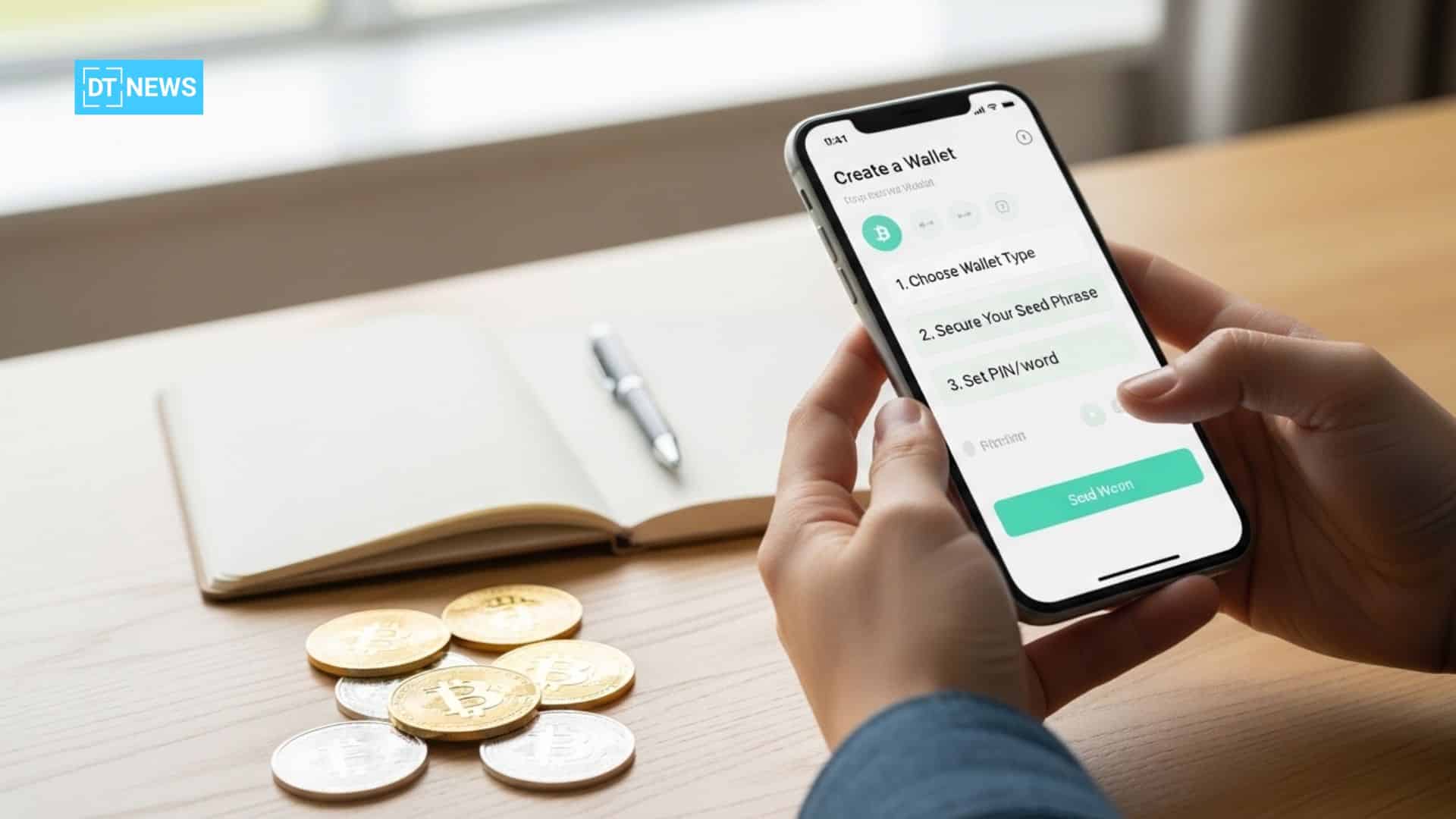
️Choose and Download a Wallet: Decide on a wallet type. Download a mobile app or purchase a hardware device (Ledger, Trezor) from an accredited dealer.
Install wallet software: Follow the guidance on installing the software. For apps, install as you would an app. For hardware, download the vendor’s management software or mobile app.
Initialize the Wallet: This means that when one first opens the wallet, it creates the keys. Normally one opt to create a fresh wallet. 12 words or maybe 24 or however depending on the app/device; will be shown on the screen and users need to write them down. This is the step that matters the most.
Record the Seed Phrase: On paper, jot down those words in order. Never store them digitally or in the cloud. Consider it an ultimate backup. The loss of your 12-24 word recovery phrase results in permanent loss of funds.
Protect the Wallet: Configure a PIN or password if the wallet prompts. Use two-factor authentication (2FA), when available. For software wallets, it’s always a good idea to practice password-management best practices and back up your password.
Fill Your Wallet: Get your wallet’s Bitcoin address (the public key) and send Bitcoin to it using an exchange or another wallet. You are now able to send and keep Bitcoin in your new wallet.
Test With a Small Amount: Try sending a very small amount first, especially when it’s a new setup. Then proceed to fund properly.
Setting up a Bitcoin wallet is nothing more than installing an app on a mobile device or laptop/desktop. The Bitcoin wallet is created automatically on the app installation. This also means most wallets will guide users through (PIN, seed phrase) on first launch. Just follow the prompts carefully.
Security Best Practices
How you secure your wallet is just as important as what type of wallet you have. Follow these expert tips:
Store Your Seed Phrase Off the Internet: If your seed is lost or stolen, it cannot be recovered. No reset of password upon login; lose the seed and you’ll surely lose the money. Keep the seed phrase off-device: either on paper in a secure location, or etched into metal.
Use Trusted Sources: As always, download your wallets only from trusted sites or stores. Scammers clone wallet websites to steal users keys. Always verify the URLs and names of app publishers.
Make use of Device Security: For mobile/desktop wallets, make sure your device has a secure passcode and it’s free from Malware. Use an antivirus and keep your system up-to-date. When you buy hardware wallets, purchase directly from the manufacturer so it’s never tampered with.
Turn on Advanced Security (optional): Some wallets offer additional security features like multi-signature or passphrase encryption on top of the seed. They add layers of protection (e.g. 2-of-3 signatures required).
Remain Vigilant: Checking addresses before sending, to avoid scams. And do not give anyone your private keys or seed. No real service is going to ask you for them.
Basically, treat your Bitcoin wallet like a vault: secure your backups, secure your devices and be mindful of phishing. Most Bitcoin losses come from user error (lost keys or falling for scams), not broken encryption.
Conclusion
Creating a Bitcoin wallet is the simplest but probably the most essential steps of a user’s crypto journey. Today’s users have more options for wallets; free mobile apps or secure hardware device, depending on their needs.
In 2026, a user can createe a wallet by simply downloading an app or initializing a device and securing the seed phrase. The trick is to lock it down well. No wallet is safe if you don’t back it up and follow best practices.
Ultimately, whether you prefer the ease of a software wallet to begin with or a more ironclad hardware vault, there are just three basic steps on how to create a Bitcoin wallet: install it, write down your info and secure it.
Glossary
Bitcoin (BTC): The original cryptocurrency that runs on its own blockchain.
Private Key: The secret number that lets users spend their Bitcoin. It’s like a password that only you know.
Public Address: This is a string (derived from the key) that you can share to receive Bitcoin. BTC is sent to the address by other people.
Seed Phrase (Recovery Phrase): A sequence of 12-24 words created by your wallet. It gives you the opportunity to manually back-up your private key. Writing it down securely is important; that’s the only way to restore your wallet.
Frequently Asked Questions About Creating A Bitcoin Wallet
What do I need to make a Bitcoin wallet?
You require a computer or mobile device, or even optional a hardware wallet. Then initiate the download or purchase of a wallet app (or hardware) from reputable source (Such as Ledger, Trezor official websites and apps for Google Play/App Store). Opening the wallet generates your Bitcoin address and private keys.
How many Bitcoin wallets can I create?
One can have multiple wallet apps installed, or have several hardware wallets. Every wallet will have its own seed phrase, and its own address. It may allow you to separate your funds (e.g one for savings, the other for spending) or have different levels of security. Just don’t forget to back up each wallet’s recovery phrase individually.
How much does it cost to create a Bitcoin wallet?
You can set up a software wallet for free, you simply download the app. Hardware wallets have a cost for the device, but offer better security at scale. While some wallets offer optional premium features, basic BTC wallets tend to be free.
Is it possible to create a Bitcoin wallet without having to install software?
A wallet can be generated offline, using a paper wallet generator (on an air-gapped computer). But that method is cumbersome and risky if improperly done. For the vast majority of users, getting an official wallet app (which generates the keys for you) is a lot simpler and more secure.
References
Disclaimer: This article is for informational purposes only and should not be considered financial advice. Always do your due diligence and operate according to best security practices when working with cryptocurrencies.